Lessons in cards
Every concept is a short deck of cards with quick checks along the way.
One idea per card, tables and diagrams where they help, and a quick check every few cards so you know it stuck before you move on.
What's included
Each course is a full academy for one exam or one skill: lessons you can read or hear, practice that explains every answer, mock exams, and a plan that brings back what you got wrong.
Opens in your browser. Nothing to install.
Start studyingOn your phone, with the same account

01 · Study
Learn each objective of the exam guide, one concept at a time.
Every concept is a short deck of cards with quick checks along the way.
One idea per card, tables and diagrams where they help, and a quick check every few cards so you know it stuck before you move on.
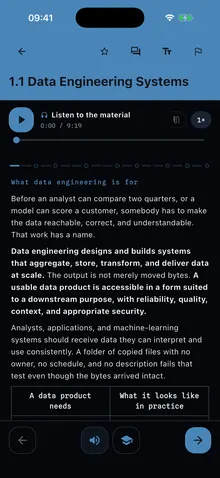
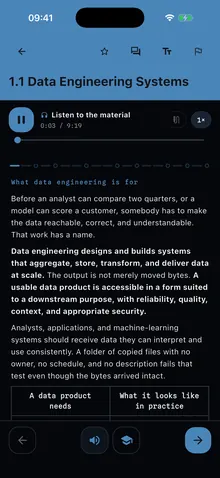
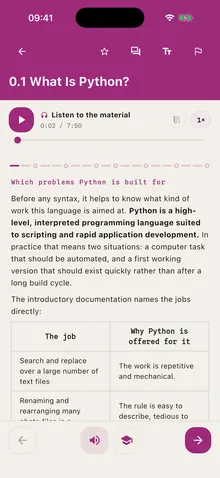
Every lesson, read aloud, with the text following the voice.
Listen on the way to work and pick it up on the page where you left off. Change the speed, or tap any card to hear it from there.
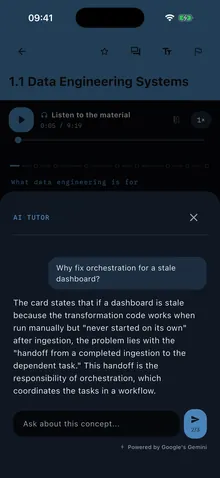
Ask about the card you are on and get an answer within your course.
The tutor knows which concept you are studying, so the answer starts from your lesson, not from the cloud in general.
02 · Practice
Questions that explain themselves, code you write yourself, and mock exams to check you are ready.
Score seven out of ten and the next concept opens.
Every answer comes with its explanation, and the wrong options come from the same documentation as the right one, so practice feels like the exam.
AZ-900 · Question 2 of 10
Which set lists all three domains assessed by AZ-900?
Everything AZ-900 can assess maps to one of three broad domains: cloud concepts, Azure architecture and services, and Azure management and governance. Together they cover general cloud ideas, core service families, and the tools to secure, govern, and administer Azure. All three start with the verb describe, so look for broad areas, not deployment tasks or career skills.
Try it: a real question from the AZ-900 course, with the explanation you get after every answer.
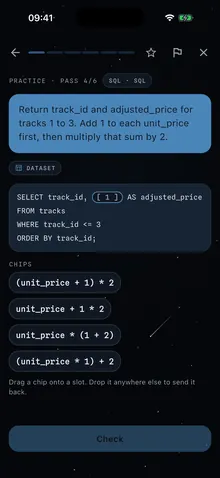
In the SQL, Python and data courses, you complete real code.
Fill the gaps of a query or a script with the right pieces, press Check and see why it works, or why it does not.
Timed, scored and weighted by domain, like the real thing.
Questions come from the whole course in the proportions of the exam guide. Answers stay hidden until you finish, then you review every one.
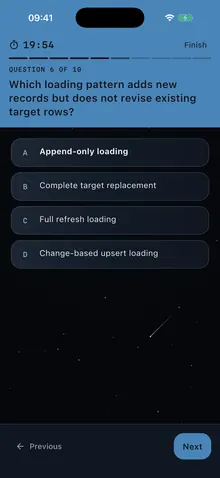
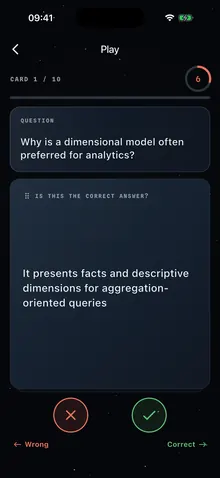
Quick rounds against the clock: is this the right answer, yes or no?
A lighter way to go over a section when you have five minutes, built from the same questions as your course.
03 · Track your progress
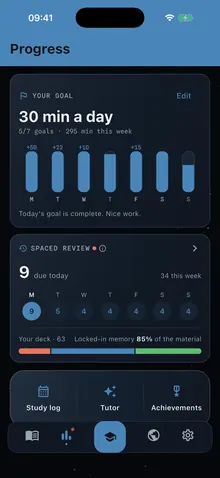
What you know, what is due today and how your week is going.
What you got wrong comes back right before you forget it.
Set minutes a day and see what is due today and this week. Get a question right three times in a row and it stops showing up.
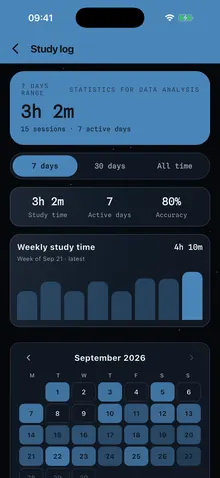
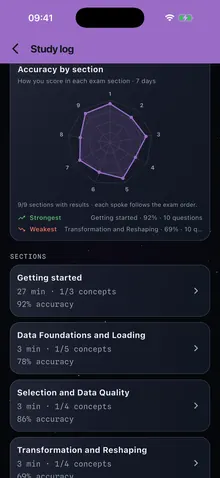
Every session counted: time, accuracy and active days.
See your week at a glance, then open any section to find where the time went and how you scored there.
One spoke per section of the exam, so your weak spot is obvious.
Your strongest and weakest sections, side by side, in the order of the exam guide.
04 · Your way
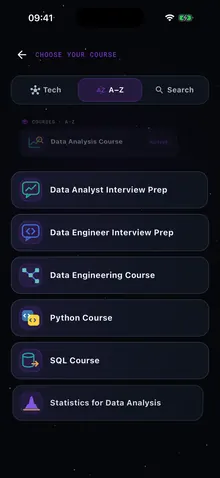
The whole catalog in one app, in the order you choose, and up to date with the exam.
Certifications, fundamentals, SQL, Python and interview prep.
Switch courses whenever you like: each one keeps its own progress, so you can prepare an exam and brush up on SQL at the same time.
The course follows the exam guide, and you can jump to any topic.
Start from the beginning or go straight to the section you need most.

Study under a night sky or on light paper.
Starrynight and Marble, with the colour of each course, and the text size you read best at.
When the vendor changes the exam guide, your course changes with it.
We check the exam guides every day and rewrite the concept that changed. The calendar lists every update, with its date and source.
Pick a course, read the first lessons and take its practice tests. Everything you do is saved to your account.
Opens in your browser. Nothing to install.
Start studyingOn your phone, with the same account